Satsport App Not Installing on Android, Fixes for Each Error
4 min read
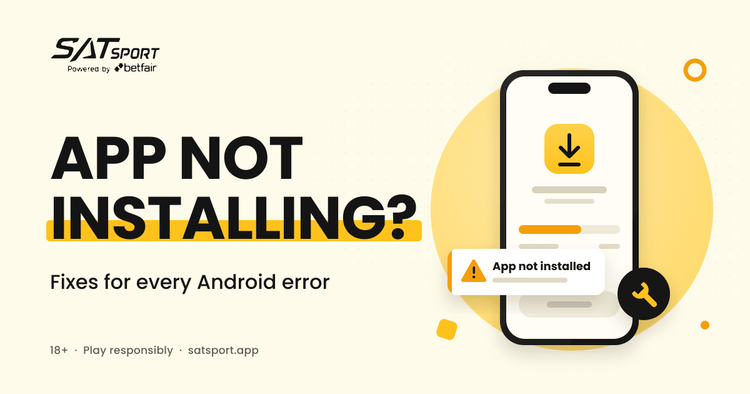
The Satsport app is not on the Play Store. It comes as a file, Satsport.apk, from the Download App button on satsport.in, and Android treats every app from outside the Play Store with suspicion. That is why most install problems have nothing to do with Satsport and everything to do with a setting or a half-finished download.
Find the message your phone shows below and you will usually be playing again in two minutes.
For your security, your phone is not allowed to install unknown apps
This is Android's default, not an error. Tap Settings in the message, switch on Allow from this source for Chrome (or whichever browser downloaded the file), then go back and tap Install.
Once the app is installed you can switch the setting off again. It only matters at the moment of installing.
App not installed
The most common cause is an older Satsport app already on the phone. Uninstall it first, then install the new file. Your balance and bets are kept on Satsport's side, not in the app, so removing it loses nothing.
The second cause is space. Android needs room for the file and the installed app at once, so free up some storage if the phone is nearly full and try again.
There was a problem parsing the package
This means the file is damaged, almost always because the download stopped halfway. Delete Satsport.apk from your Downloads folder and download it again, ideally on Wi-Fi rather than a weak mobile signal.
If the same message comes back after a clean download, restart the phone before trying once more.
Play Protect or a security scan warns you
Google Play Protect warns about apps that are not from the Play Store, and phones from brands such as Xiaomi or Vivo can add a scan of their own. The warning is generic, which is exactly why the file must come from the official button and nowhere else.
If you are sure of the source, the warning's details screen offers to install anyway. If you are not sure, stop and download the file again from satsport.in.
Install messages and what fixes them
| Message on your phone | Usual cause | Fix |
|---|---|---|
| Not allowed to install unknown apps | Android default setting | Allow from this source for your browser |
| App not installed | Old version on the phone, or no space | Uninstall the old app, free storage |
| Problem parsing the package | Download broke off | Delete the file and download it again |
| Play Protect or security warning | App from outside the Play Store | Check the source, then install anyway |
| Nothing happens when you tap the file | File opened in the wrong app | Open it from Files, Downloads |
Tapping the file does nothing
Sometimes Chrome finishes the download but the file opens in the wrong app, or not at all. Open the Files app, go to Downloads and tap Satsport.apk from there.
If you cannot find the file, the download probably never finished. Check the Downloads list in Chrome and start it again.
How to update the Satsport app
Download the file again
Because the app does not come from the Play Store, it does not update itself. Get the current Satsport.apk from the Download App button on satsport.in.
Install it over the old one
Usually Android simply replaces the old version. If it shows App not installed, uninstall the old app first and install again.
Log in again if asked
Use the username and password you registered with. Your account and balance stay as they were.
No Android phone?
There is no Satsport app to install on an iPhone. Open satsport.in in Safari and use Add to Home Screen for an icon that opens the site in one tap, which does the same job without any file at all.
Satsport app install questions
Why is the Satsport app not on the Play Store?
Satsport offers the app as its own download, Satsport.apk, from the Download App button on satsport.in.
Is it safe to allow unknown apps for the Satsport APK?
Only for the file from the official Download App button, and you can switch the setting off again after installing.
Why does it say App not installed?
Usually an older Satsport app is still on the phone or storage is full. Uninstall the old app, free some space and install again.
Will I lose my balance if I uninstall the app?
No. Your account and balance are kept by Satsport, not stored in the app on your phone.
How do I update the Satsport app?
Download Satsport.apk again from satsport.in and install it over the old version.
Last updated: 18 November 2026